Video Tutorial
- Click on ‘ Queue ‘

- Click on icon below to select patient and enter their medical record.

- Add in a clinical note if necessary followed by the consultation’s diagnosis

- At least 2 characters needed to search in diagnosis. Note that once the Diagnosis has been added, it will be in a pending state. This is to allow user to confirm that the diagnosis given is accurate.

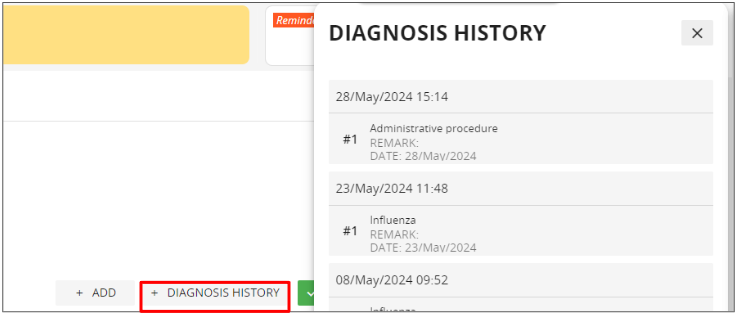
- Click on Diagnosis History to review a list of previous diagnosis.
- Add a prescription.

- Search for medication or service

- Enter and confirm details

- After adding the prescription, it will be in a pending status. Select the medications/service items to be confirmed and billed.


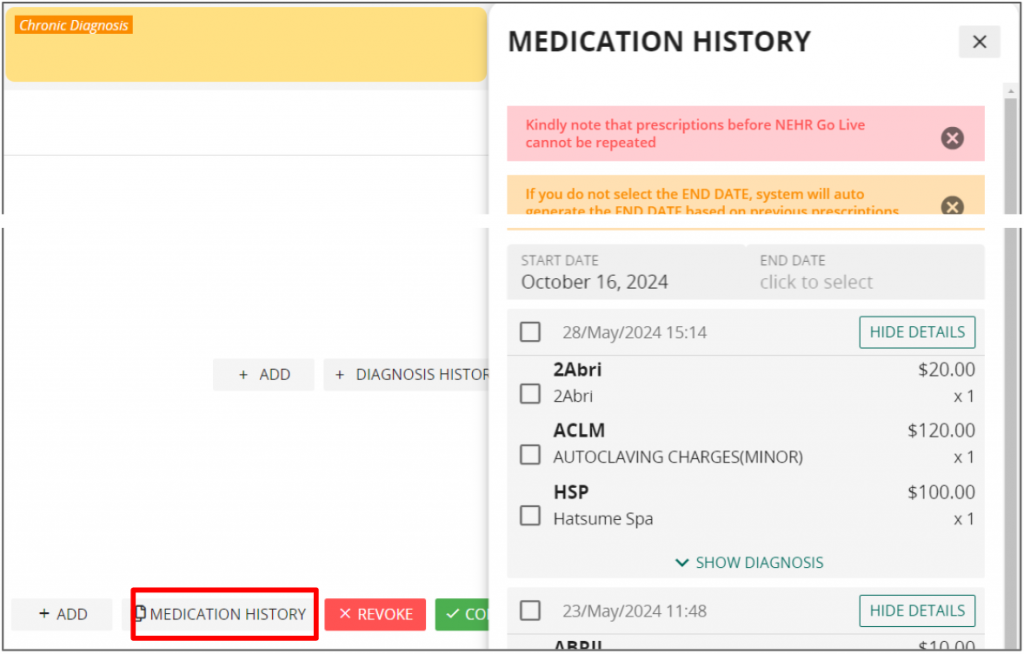
- Click on Medication History to review previous prescriptions. Click on the checkboxes to repeat the prescriptions.