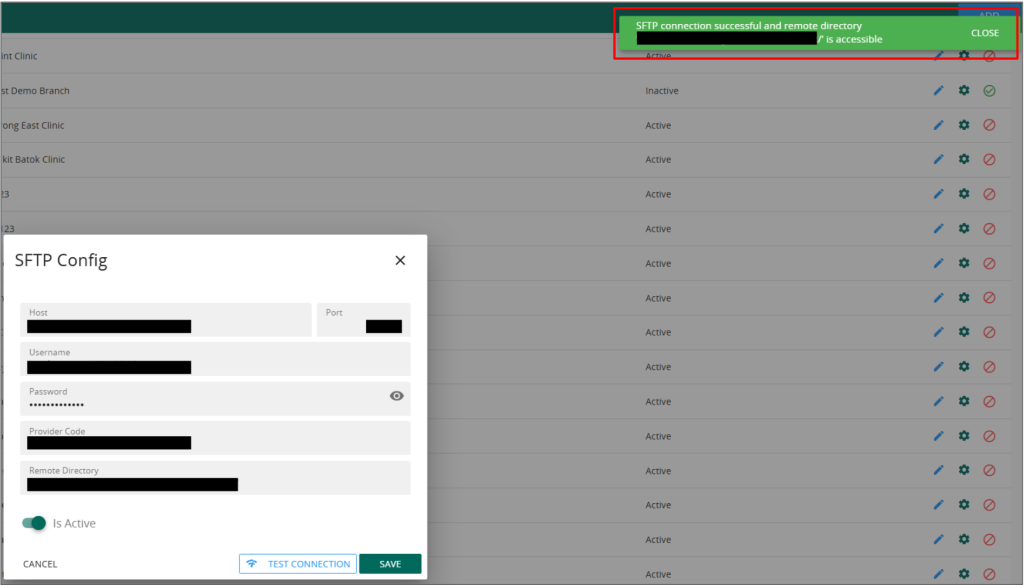
The objective of this guide is to assist Vanda users in updating the SFTP settings by themselves.
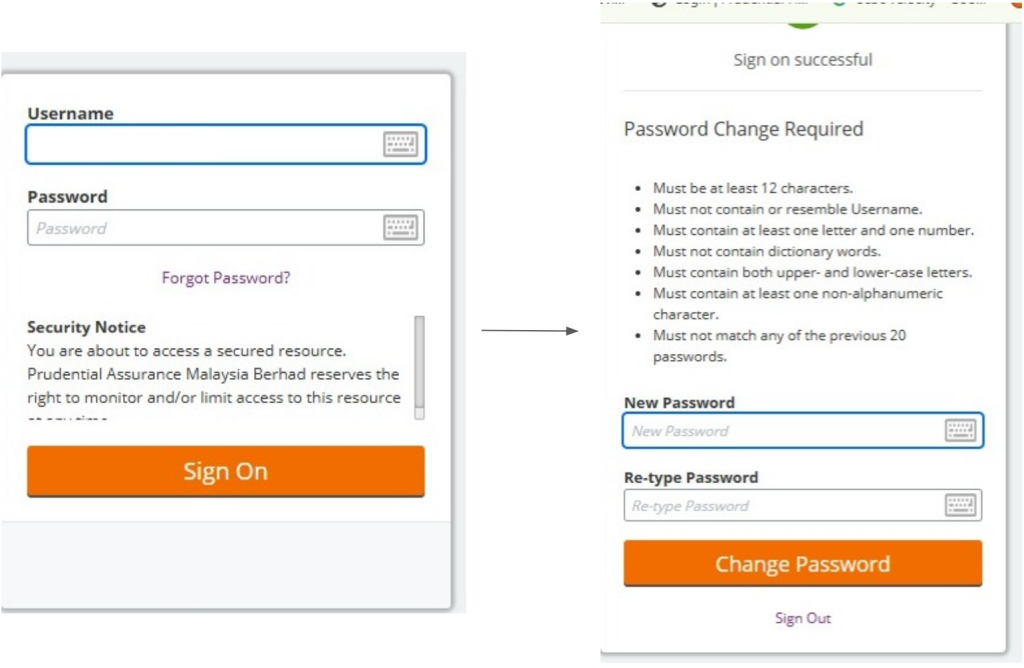
- Change the password at the respective portal
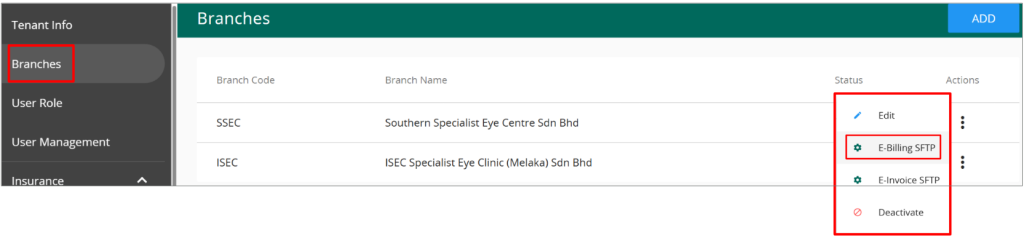
 2. Head to VandaManager, click on “Branches” followed by the 3 dots and E-billing SFTP setting on the “SSEC” branch
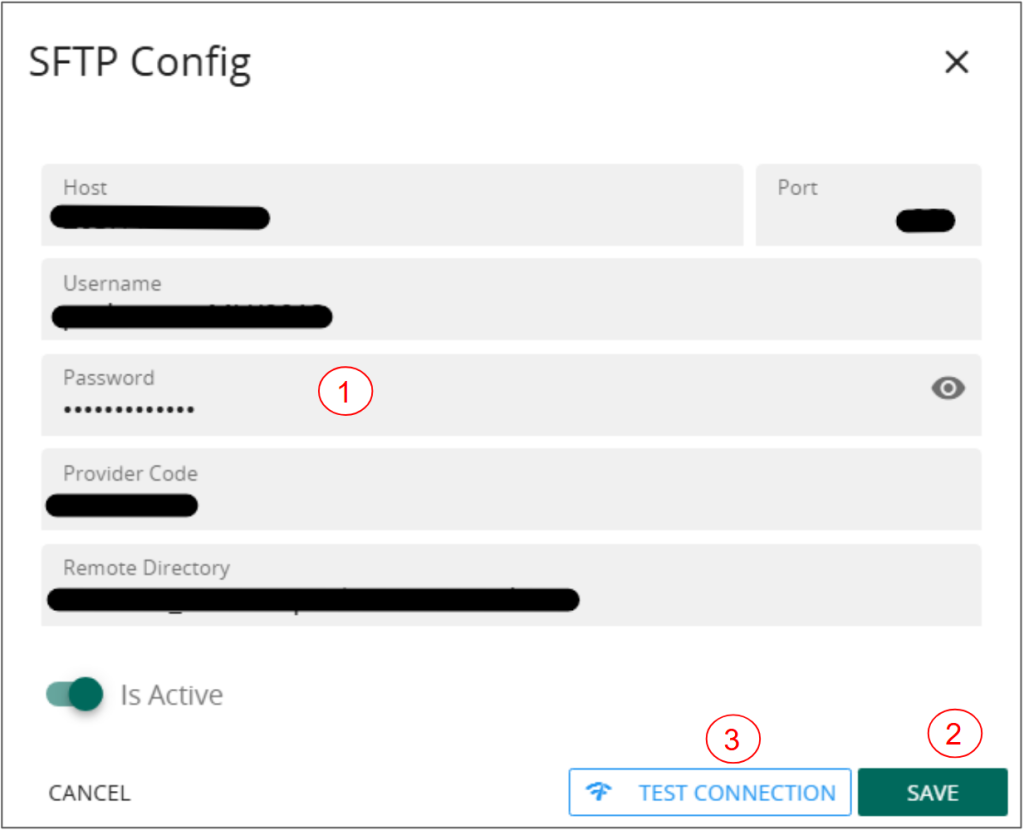
 3. You should see the “SFTP Config” popup here.
- Update the password that you have just changed
- Click on “save”
- Click on “Test Connection”
This step will update the password to connect to the SFTP portal and conduct a connection testing.
 4. You should see a “connection successful” message once the password has been updated successfully.