View Categories

Add new Inventory Items

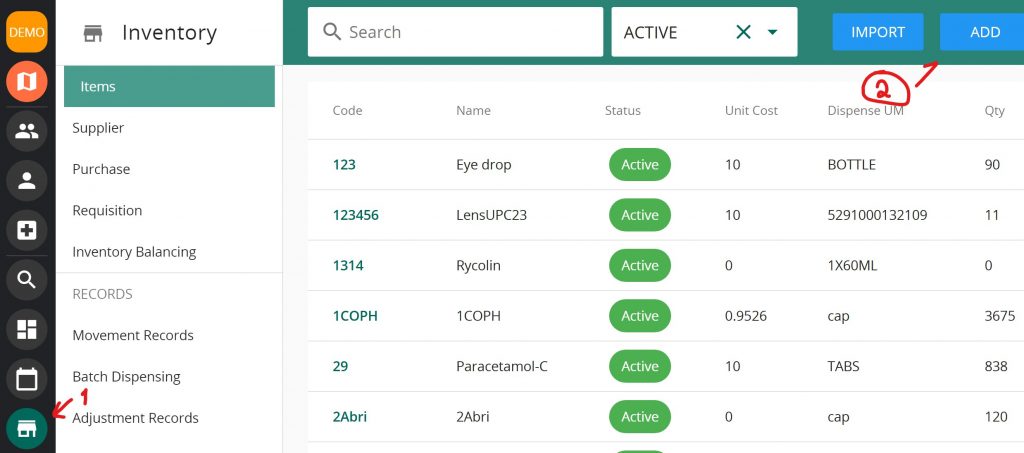
  • select ‘Inventory‘ icon and Click “Add”
  1. Select item that has already been added into VandaManager
  2. Input the following information:
    1. Unit Cost – Cost of Medication
    2. Any quantity on hand
    3. Check and input expiry date of items on Hand (if any)
    4. Any minimum stock (used in Requisition feature)
  3. Input costing information:
    1. Select costing information:
      1. Avg- average of all batches.
      2. FEFO – First Expiry First Out
    2. Check UPC if you track UPC numbers
    3. The rest of the data are for information tracking only.
Your filling could not be saved. Please try again.
Thank you for the filling, we will contact you soon

Send us message

Contact us today and our friendly support team will reach out as soon as possible.

The SMS field must contain between 6 and 19 digits and include the country code without using +/0 (e.g. 1xxxxxxxxxx for the United States)
?