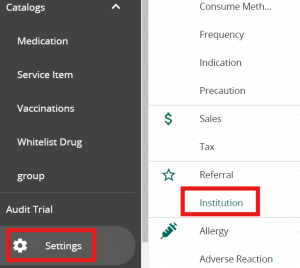
Click on Settings in VandaManager. Click on “Institution” under “Referral”
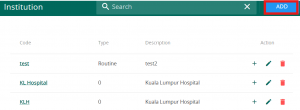
Click on ” + Create ” to add a new Institution. You may click on the pencil button to edit or the bin button to delete an existing Institution. The ‘+’ button is utilized if you are an NEHR user
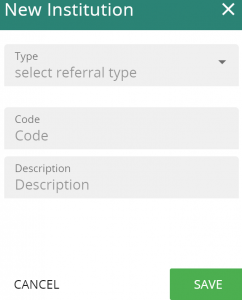
Fill in the following code & description followed by saving to add a new Institution. The new Institution will be utilised in referral letters. Note that the referral type is only necessary if you are part of the Singapore’s HSG programme.