Product
Specialists
Integrations
Blog
Knowledge Base
Introduction Video
Case Studies
Clinic For Sale
Find a Clinic
Send us message
Contact us today and our friendly support team will reach out as soon as possible.
I consent to MSA contacting me regarding my inquiry, in accordance with the Privacy Policy on here.
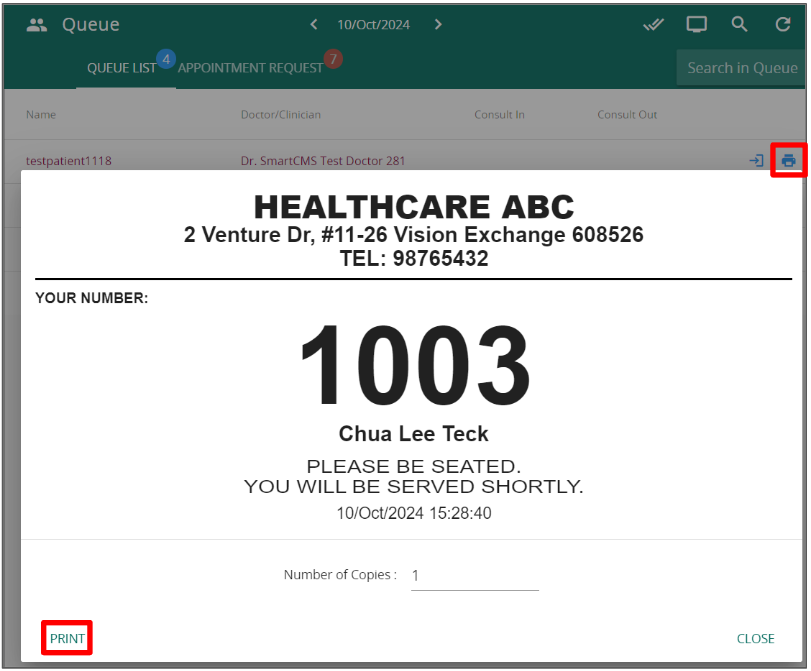
In the queue management page, click on the Printer Icon next to a patient’s name. A pop-up will appear and click on print to print a queue label