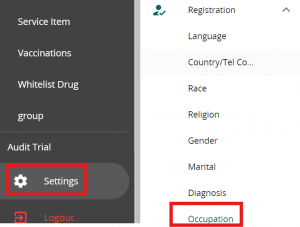
Click on Settings in VandaManager. Click on “Occupation” under “Registration”
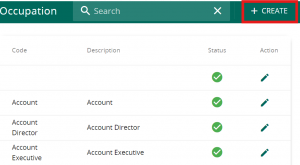
Click on ” + Create ” to add a new Occupation. You may click on the pencil button to edit existing occupations
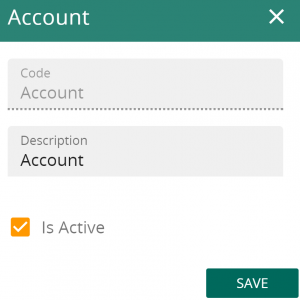
Fill in the following code & description followed by saving to add a new occupation. The new occupation will be utilised in patient details