
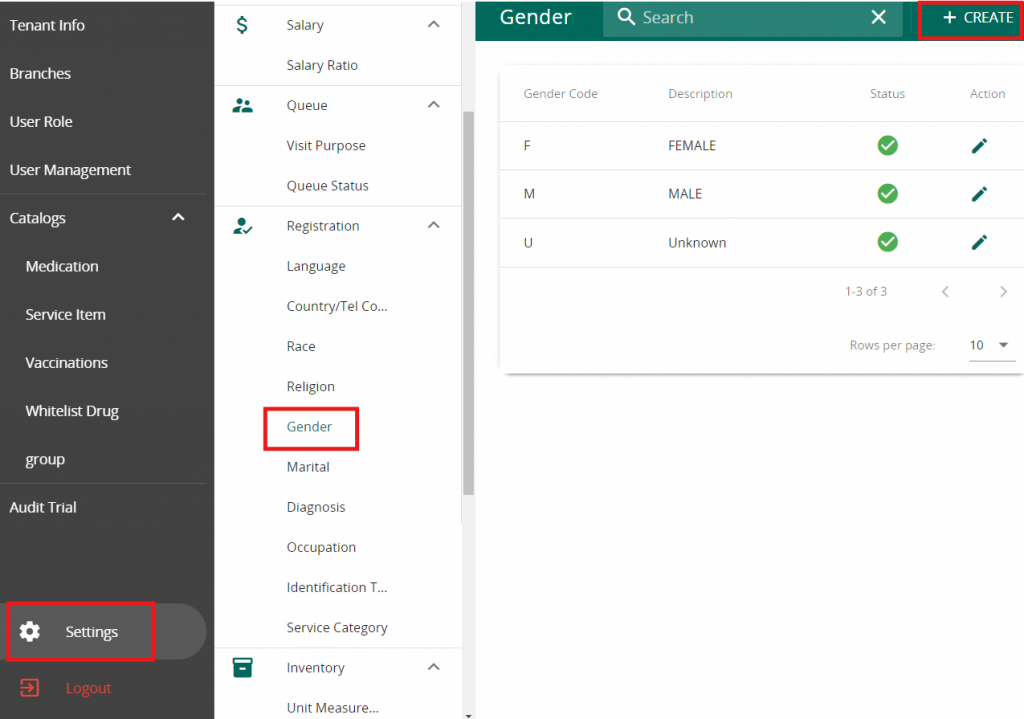
Click on Setting in VandaManager. Click on “Gender” under “Registration”. Press ” + Create ” to add a new Gender
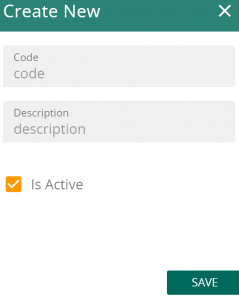
Fill in the Code & Description for your new Gender. Note that Description will be used for patient profile
Click on Setting in VandaManager. Click on “Gender” under “Registration”. Press ” + Create ” to add a new Gender
Fill in the Code & Description for your new Gender. Note that Description will be used for patient profile


