

Trusted by clinics across Asia — expanding globally
Every package.
Every quota.
Tracked live.
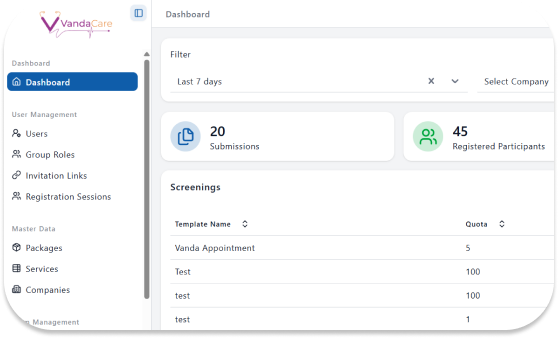
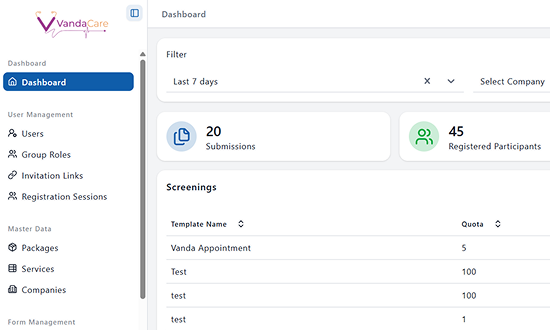
Vanda Health Screening Packages let you build tailored packages for each corporate client, set quotas, and watch submissions and status update in real time — no spreadsheet required.
The Problem
Packages built in a spreadsheet fall apart at scale
- Each corporate client gets a slightly different package, tracked in a separate sheet that's rarely up to date.
- Quotas are checked manually, so packages quietly overrun before anyone notices.
- Knowing which packages are ongoing vs. completed means opening five different files.
Vanda Health Screening Packages keeps every client's package, quota, and status in one live view — so nothing overruns quietly.
Core feature
Packages built for corporate clients, tracked for you
Health screening packages
Create tailored health screening packages for each corporate client. Set quotas, track submissions as they come in, and see status per package at a glance — from kickoff to final report.
- Package builder — set test items, quota, and validity window per client
- Live quota tracker with near-quota alerts
- Status pipeline: ongoing → near quota → completed
- One view across every corporate client and package
How it works
From client brief to closed package in four steps
Build the package
Set test items, price, and quota for a corporate client using the package builder.
Assign quota and validity
Define how many participants and by what date the package closes.
Submissions roll in
Track who has registered against the quota, updated the moment each participant submits.
Package closes, reports go out
Status flips to completed automatically once quota or the validity window is reached.
Built for everyone in the workflow
Choose your role, see your view
Know exactly what's in each package
See the test items and clinical scope of a package before you screen a participant — no separate document to cross-check against.
One test-item list, every clinic partner
Pull the exact test items and quota for a package directly from the dashboard, instead of matching a different sheet per clinic.
See your package fill up in real time
Watch how many employees have used your screening package against the quota you set — and get flagged before it overruns.
Every client's package, one screen
See ongoing, near-quota, and completed packages across every corporate client — no more opening five spreadsheets to find one number.
Questions clinics ask
Can each corporate client have a different package?
Yes. The package builder lets you set unique test items, pricing, and quota for every client — no two packages need to look the same.
What happens when a package nears its quota?
The package is automatically flagged as near quota, so your team can decide to close, extend, or top up before it overruns.
Can we track multiple ongoing packages at once?
Yes. Every active, near-quota, and completed package for every client is visible in one screen, filterable by status or client.
Does closing a package trigger reports automatically?
Yes. Once a package reaches its quota or validity date, status flips to completed and report generation becomes available immediately.
Related Article

What You Need to Know About MOH Healthcare Claims Portal
An initiative by the Ministry of Health (MOH), the MOH Healthcare Claims Portal (MHCP) is the new one-stop claims portal to support you, General

Family Medicine Specialty in Singapore
Family Medicine and Singapore Modern-day Family Medicine began as a “counterculture” to the disease-and-body-part focus of the hospital specialities in the 1960s. The ethos

Chronic Disease Management (CDM) in Singapore Polyclinics
Chronic Disease Management Programmes in Polyclinics Multi-disciplinary team The framework in the development of the disease management programme included identifying the diseases and defining
Track every package and quota from one screen
Join clinics already using Vanda Health Screening Packages to run corporate screenings without the spreadsheet.